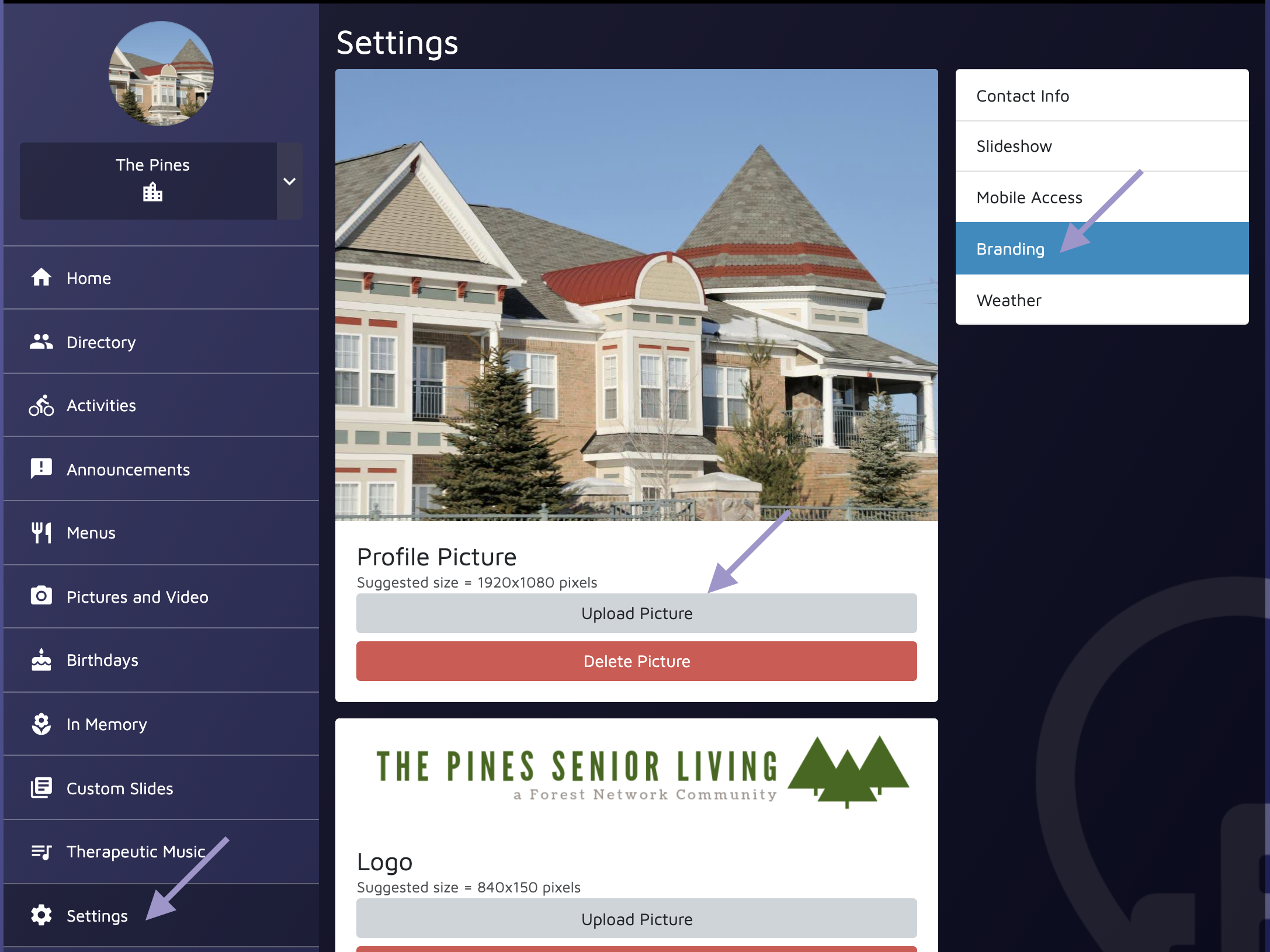
Your campus profile picture appears in two places in the Share App - the Home screen and the Contact Us page.
To edit your campus profile picture:
- Log into the Admin Console.
- Open the Campus Community.
- Select Settings.
- Click Branding.
- From the Branding screen, you can select Upload Picture or Delete Picture.